
Connecting a GitHub repository turns it into a codebase you design on. The repository reaches Modeinspect through the Modeinspect GitHub App, which someone installs once on the GitHub account or organization that owns it.
Before you start
A GitHub account that can see the repository. If you are not an owner of the GitHub organization, skip to Send the setup to an engineer below.
Modeinspect supports React and Next.js styled with Tailwind.
Steps
Click Add Codebase in the sidebar. Codebase Setup opens with Connect a New Codebase. During onboarding, Bring your codebase opens the same page.
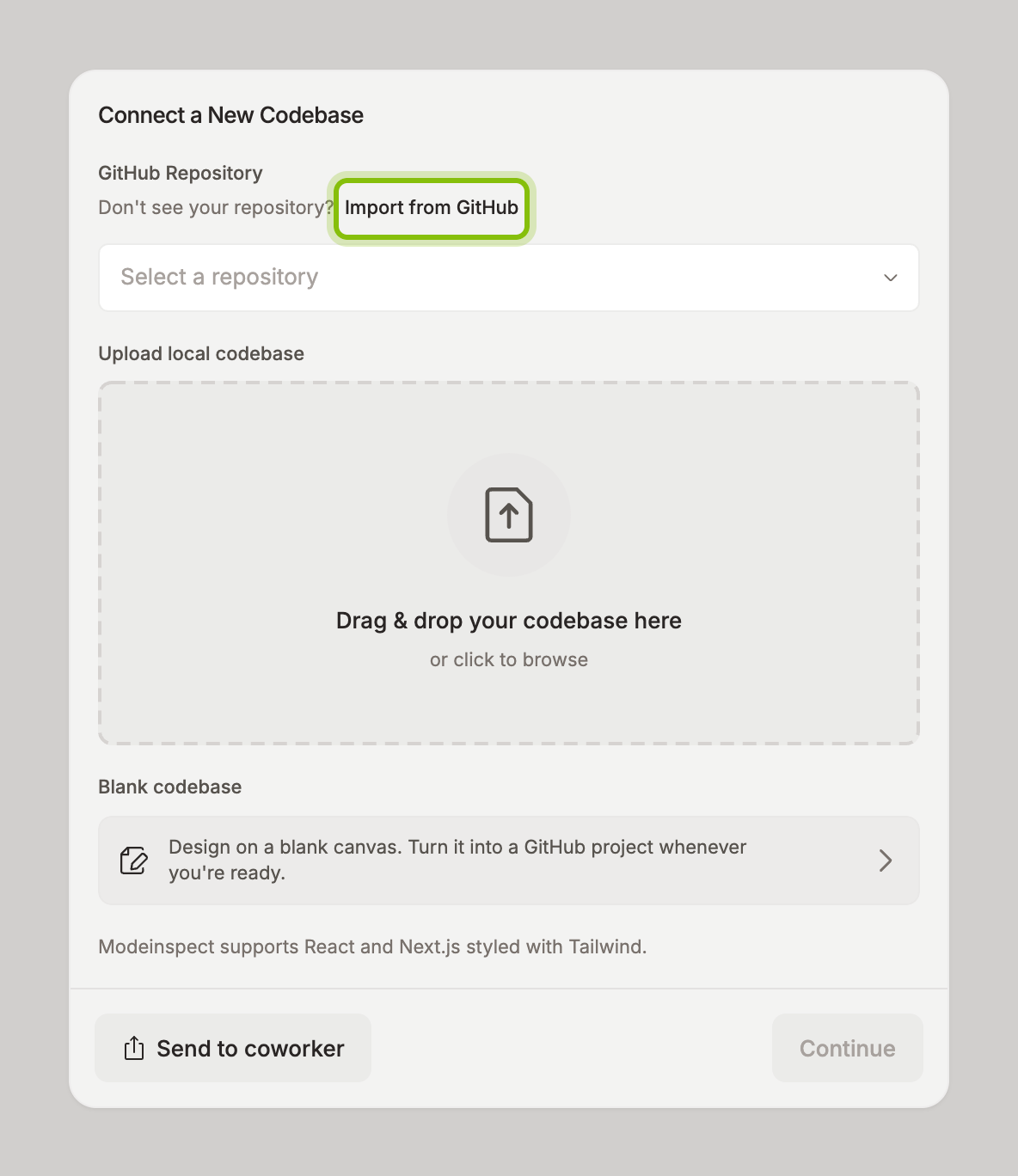
Click Import GitHub Repository. If your organization already imported repositories, click Import from GitHub next to Don't see your repository? instead.
GitHub opens in a popup. Install the Modeinspect app there for the account or organization that owns the repository. When the popup closes, the repository list in Codebase Setup fills in. If GitHub needs an owner's approval that you cannot give, use Send the setup to an engineer below instead.
Open Select a repository and pick yours. Type in Search repositories… to filter a long list. The card now shows the repository name with GitHub repository under it and a Change button.
Click Continue. Setup starts, and the page shows Codebase setup with the repository name. What follows is in What happens during setup.
Send the setup to an engineer
When you cannot install the GitHub App yourself, hand the setup to someone who can.
Click Send to coworker. The Hand off the setup to an engineer dialog opens with a prewritten Message that ends with a link.
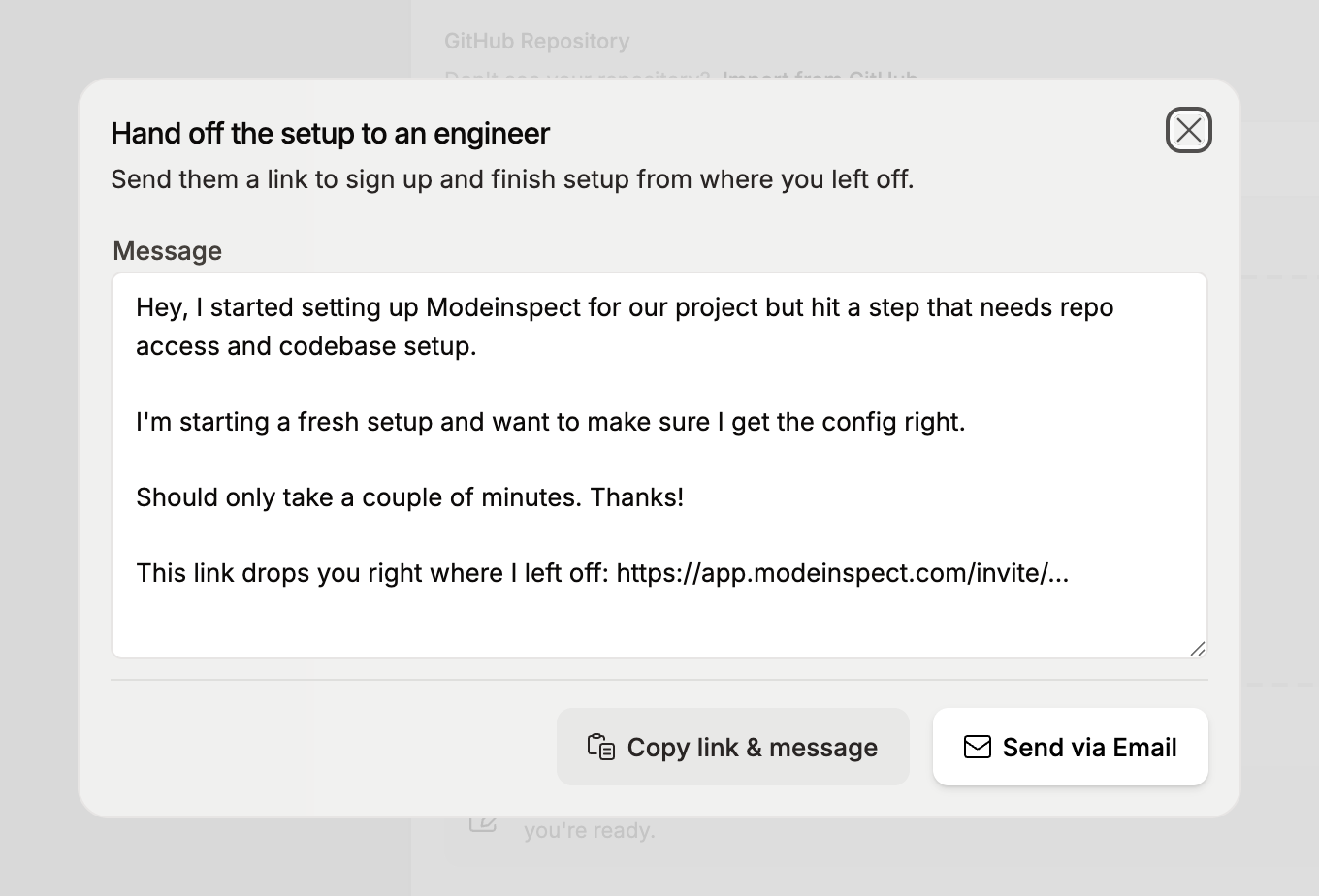
Edit the message if you want. The link stays in it.
Click Copy link & message and paste it into your chat, or click Send via Email, fill in Email address, and click Send invite.
The link lets your coworker sign up and continue the setup from where you left off. Send to coworker also stays on the setup page while setup runs. Use it later when Auto-setup asks for a secret you do not have, see Answer Auto-setup's questions.
If it does not work
The repository is not in Select a repository: the GitHub App has no access to it yet. Click Import from GitHub and add the repository to the app's access. A repository that is already a codebase in your organization is not listed either.
Related
Manage GitHub repositories