
Design guidelines are rules you write once for a codebase and the canvas agent reads at the start of every session on its canvases. Write them when the agent keeps picking the wrong spacing, radius or color and you want to say the rule once instead of in every prompt.
The agent already knows your design tokens. The guidelines add what the tokens cannot say: which one to use where, and what never to do.
Before you start
A connected codebase whose setup finished, so the token picker knows your design system.
Steps
Open the codebase from CODEBASES in the sidebar and click the … button next to its name.
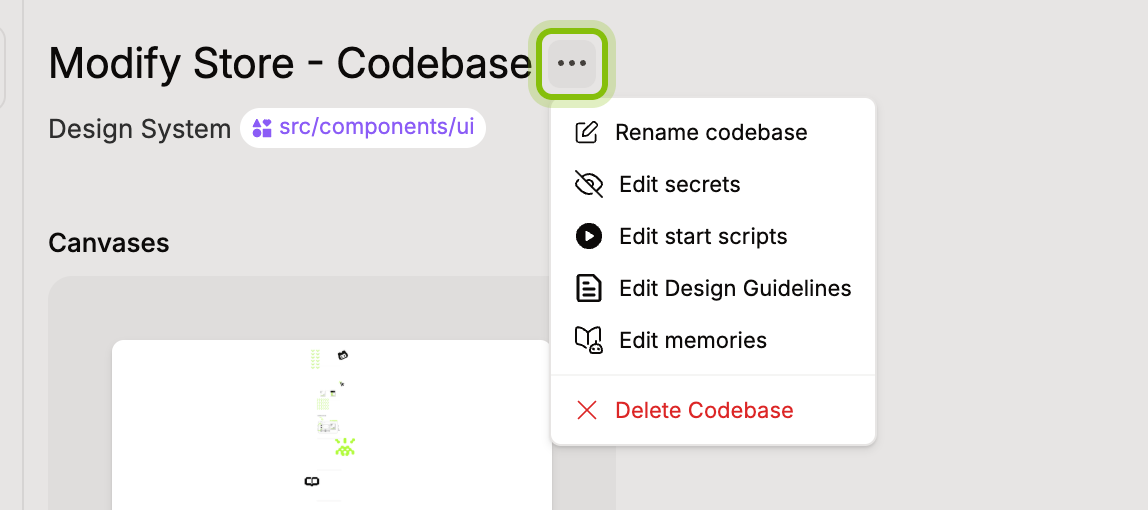
Click Edit Design Guidelines. The editor on the left is empty the first time and shows a suggested outline: Overview, Colors, Typography, Layout and shape, Components, Do's and don'ts. The panel on the right lists your tokens.
Write the rules as short sentences. Where a rule names a token, insert it instead of typing its name: type
@and the token's name, then pressEnter, or search it in Search tokens… and click it. The token appears as a chip with its value.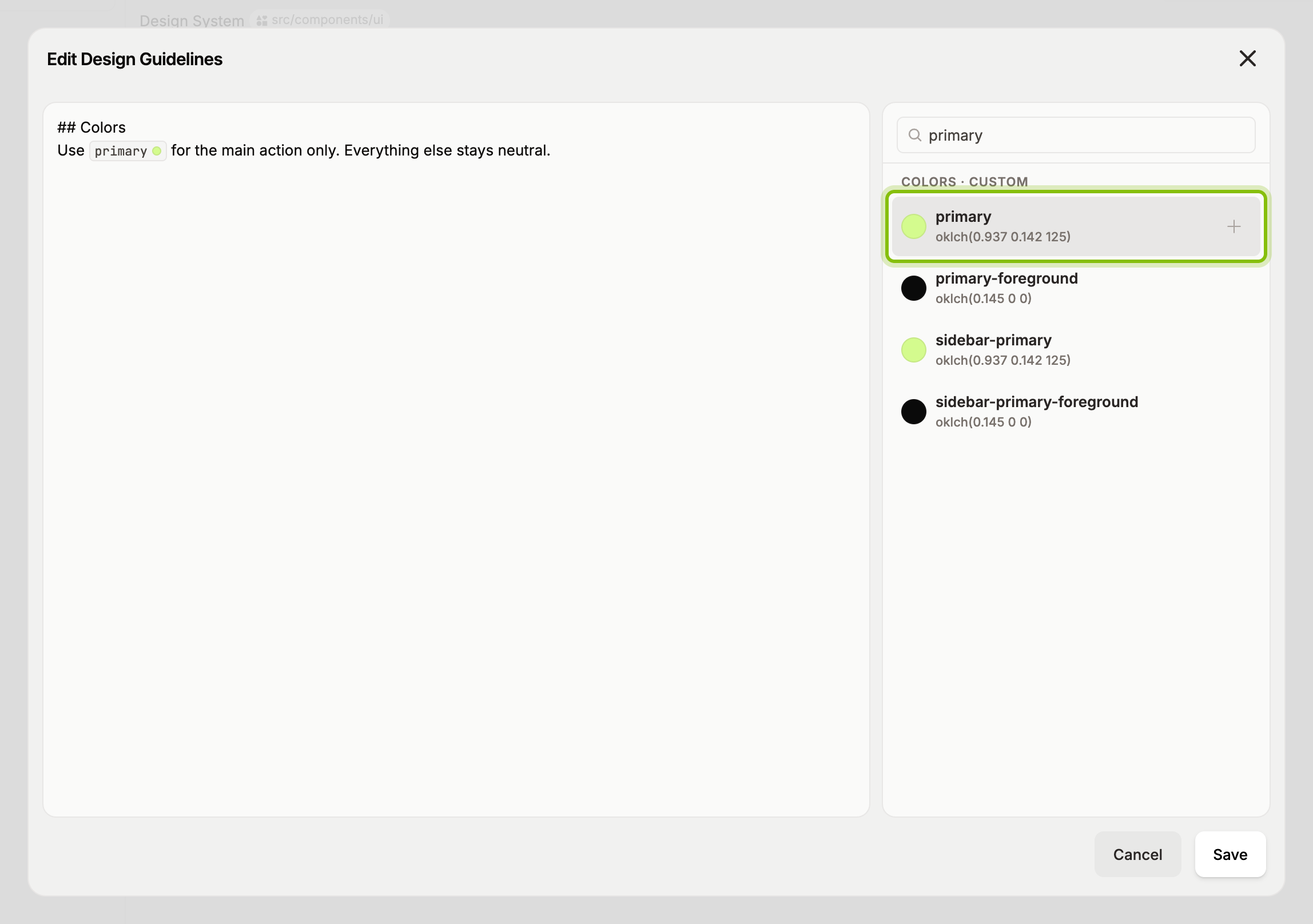
Click Save. The toast Design guidelines saved confirms it.
The next new agent session on a canvas of this codebase follows the guidelines. A chat that is already open keeps the version it started with.
What to put in
One rule per line, with the token chip in it: "Buttons use primary for the main action only."
The spacing scale and the type sizes that are allowed, and the ones that are not.
Do and don't pairs for the mistakes you see most: "Don't add a second accent color."
Tokens come in two groups. Custom tokens are the ones your codebase defines. Default tokens are the stock Tailwind values it did not change, listed so you can refer to them too.
Keep secrets, URLs and long style guides out. The agent reads the whole text in every session, so a long document costs time and buries the rules that matter. Facts about your project that the agent should keep across sessions belong in memories, not here, see What agents remember about your codebase.
If it does not work
A chip landed in the wrong place: delete it with
Backspace, put the cursor where the token belongs, and insert it again.Nothing changed in an open chat: guidelines load when a session starts. Start a new agent and ask again.