
Split one canvas into pages when a single board gets crowded, for example one page per flow or per round of explorations. Every page has its own layers and Portals. The canvas keeps one name, one codebase, and one share link.
Steps
Click the Layers tab in the left rail. The panel opens with Pages at the top and Layers below.
Click + next to Pages. A new page named Page 2 appears in the list and opens, empty.
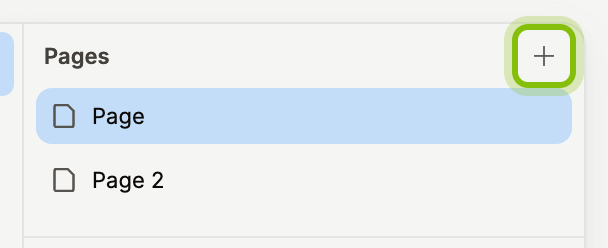
Double-click the page name to rename it, type the new name, and press
Enter.Click a page in the list to switch to it. The canvas and the Layers list change to that page.
To delete a page, hover it, click the trash icon that appears, and click Delete in the dialog. The page and everything on it are deleted.
You can also right-click on empty canvas and choose Add page.
Pages keep the order you added them in.
If it does not work
The trash icon does not appear: a canvas keeps at least one page. Add another page first, then delete this one.
The new page is not in the list: the list scrolls to the open page. The new page is at the bottom.