
Start scripts are commands that run every time a canvas starts your app, once the dev server is up. Use them when the app needs something done before it is useful, like a database seeded with demo data.
They run again on every canvas open, in the order you list them, so each one must be safe to run twice. A seed command that skips rows it already created is a good start script. A one-off migration is not: the second run fails or applies the change again.
Before you start
A connected codebase that finished setup. See What happens during setup.
Steps
Open the codebase from CODEBASES in the sidebar and click the … button next to its name.
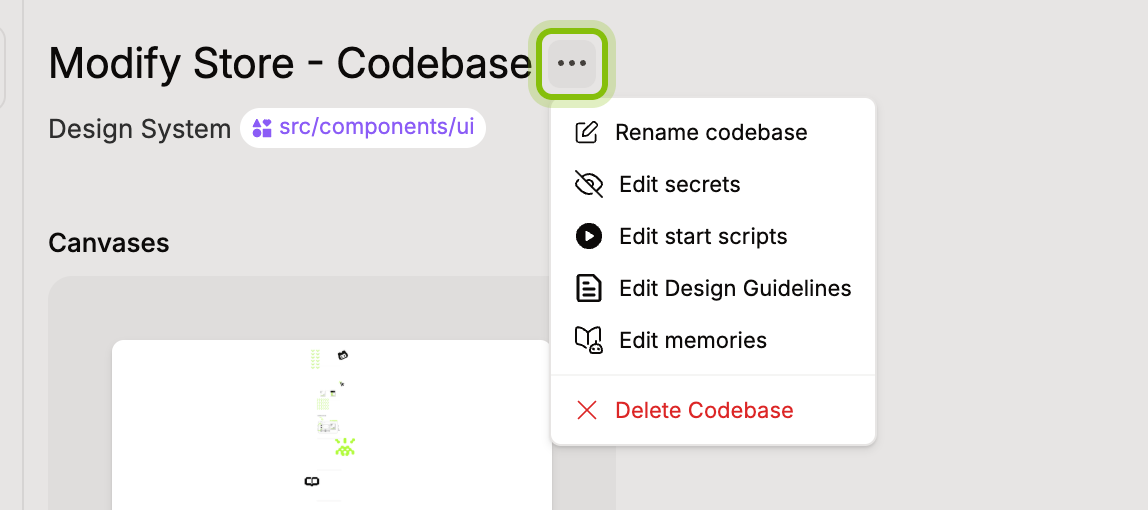
Click Edit start scripts. A new codebase shows No start scripts yet.
Click Add script and type the shell command, the same way you would run it in a terminal at the root of your codebase.
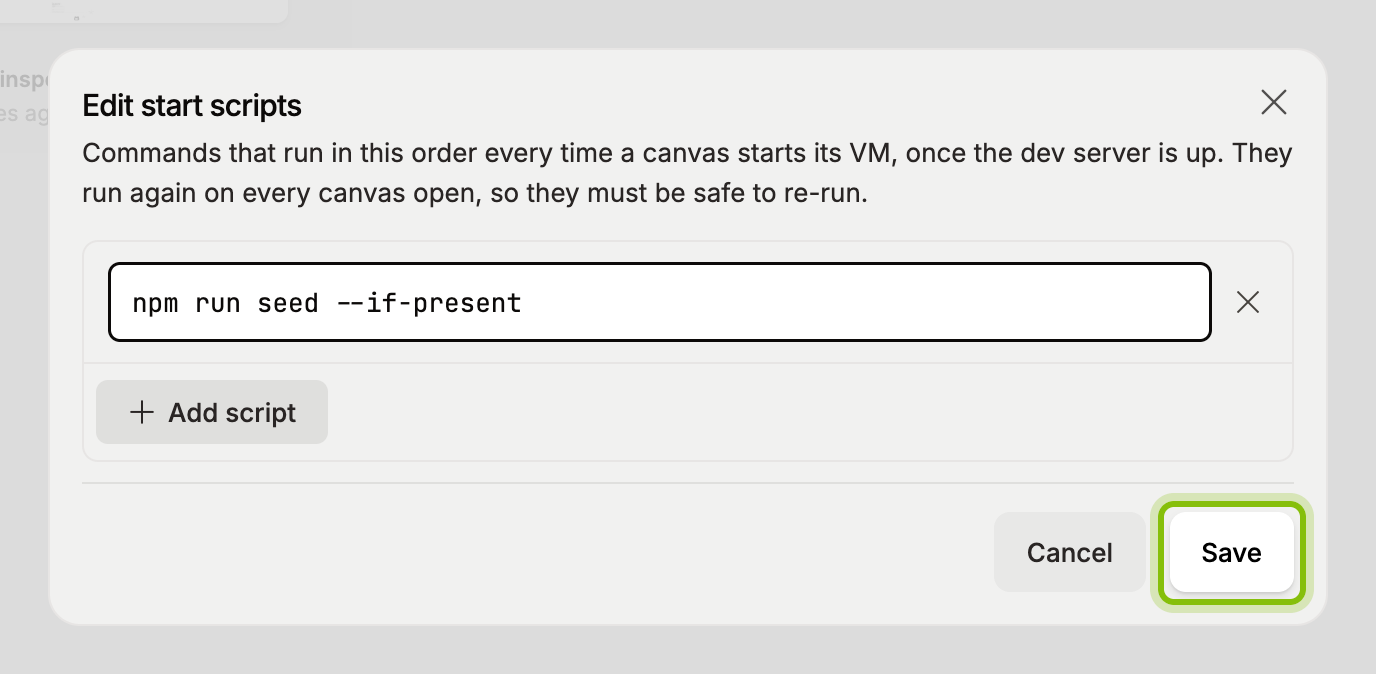
Click Save. The toast Start scripts saved confirms it.
The scripts run the next time a canvas of this codebase starts its app. A canvas that is already open does not run them until then. To remove a script, click the cross on its row and save again.
If it does not work
Save stays disabled with "Every script needs a command.": one of the rows is empty. Type a command or remove the row.
"This codebase has no setup yet. Finish setup before adding start scripts.": start scripts attach to the setup config. Let setup finish first, then come back.
Secrets have their own dialog, Edit secrets, in the same menu. The menu also has Rename codebase and Delete Codebase.