
Open the Code changes dialog to see every file the agent changed on this canvas, old code on the left and new code on the right. Glance at it to check the agent touched only what you asked for. The review itself happens in GitHub, see Create a pull request.
Before you start
A canvas where the agent has made at least one code change. The header shows a green and red count, like +1 −1, as soon as there is one.
Steps
Click the +1 −1 count in the canvas header. Its tooltip reads View code changes. In Build Mode it sits between the Undo and Redo arrows and the GitHub button.

Pick a file in the list on the left. The right side shows the file with removed lines in red and added lines in green.
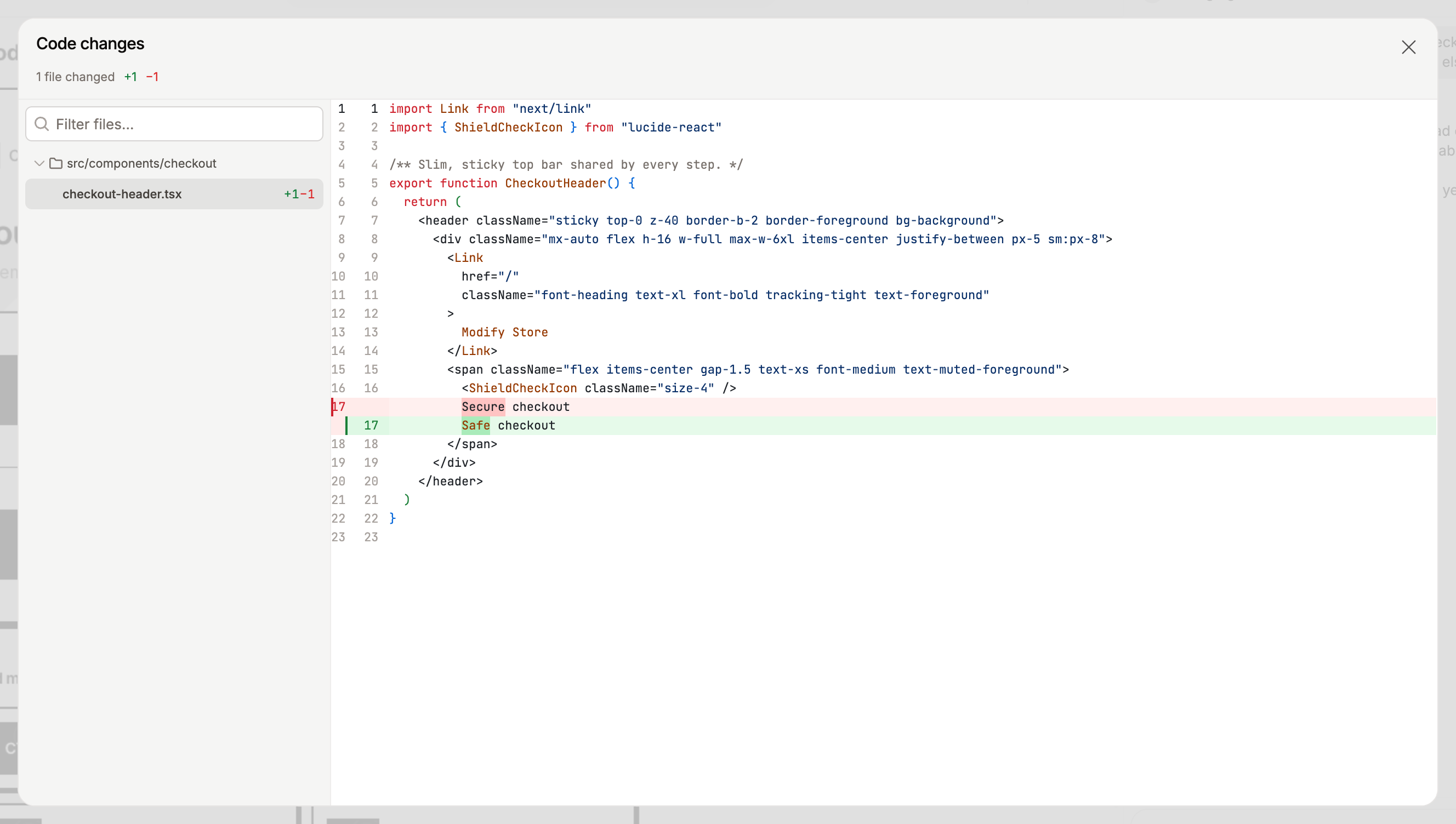
With many files, type part of a name in Filter files… to shorten the list.
The counts add up across the whole canvas, from the first change to the latest, not only the last message. The agent's reply in the chat shows the count for that one message. On a canvas with a GitHub repository, Build Mode also shows a Changes button with the same counts above the message field, and it opens the same dialog.
Undo and redo a change
In Build Mode, the two arrows at the left of the count are Undo and Redo for code changes. Undo takes the codebase back one agent message: the page on the stage reloads without the change and the count drops. Redo brings it back. Both are unavailable while an agent is working.
If the canvas already has an open pull request, a dialog asks Rewrite the open pull request? before an undo or redo. Continue also updates the pull request, see How changes reach your pull request.
If it does not work
No count in the header: the agent has not changed any code on this canvas yet, or its last change was undone. Changes made on the canvas itself, like moving a frame, do not count.
The dialog says "No code changes.": the same. Close it and ask the agent for the change in Build Mode.
The count is greyed out: the changes are being reloaded after the last reply. Wait a moment.