
Give each task its own coding agent and let them work at the same time. Start a second one when the first is busy with something unrelated.
Before you start
Build Mode open on the page you want to change, see Open Build Mode and move around your app.
Steps
Send the first task. While the agent works, click + at the top of the chat (tooltip New agent). The chat empties and the name at the top reads New agent.
Type the second task and send it. Both agents now run.
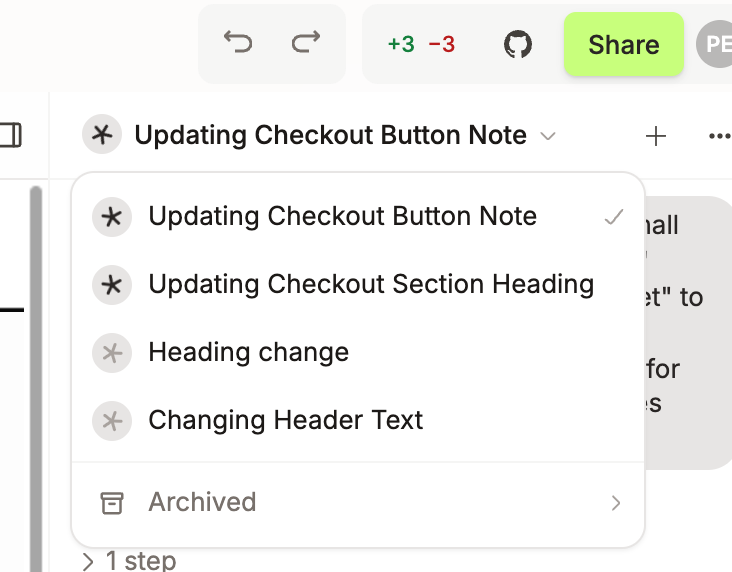
Click the name at the top to switch. Each agent on this page is listed with a star: spinning while it works, a green tick when it finished and you have not read the answer.
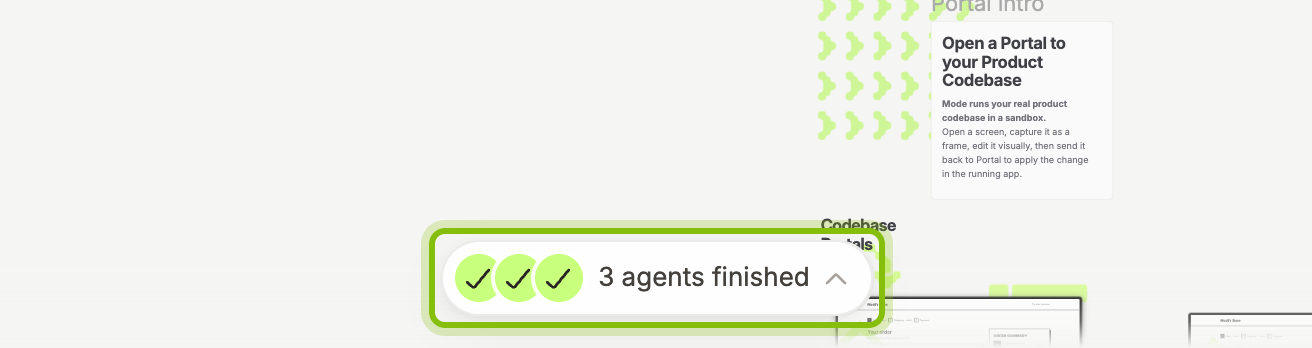
Click Back to Canvas to keep working on the canvas. A pill at the bottom reads 2 agents working while they run and 2 agents finished once they are done. Click it to jump to an agent.
Agents name themselves after their first task. Until then a coding agent is listed as Codebase build and a canvas agent as Canvas build. An agent with a question for you shows Waiting for your answer.
One codebase, one branch
Every coding agent on a canvas works in the same copy of your codebase, on the canvas's branch. An agent's edits stay its own until its turn ends, then they join the shared code and the stage reloads. One pull request carries them all.
Give each agent one task in its own part of the app. When two agents edit the same file at the same time, the one that finishes second reworks its change on top of the first. If that fails, its chat shows Couldn't automatically merge your changes: send it the task again once the other agent is done.
Rename, archive, restore
Click … next to + and pick Rename. The dialog Rename agent takes the new name.
Pick Archive to take a finished agent out of the list. Its code changes stay.
To find it again, open the list and click Archived at the bottom. The agent opens read-only with the field Send a message to restore this agent…. Send one and it is back in the list.
If it does not work
+ is greyed out: the current agent is empty. Give it a task first.
Archive is greyed out: the agent is still working or has messages waiting. Stop it or let it finish.
The pill on the canvas is gone: it lists only agents that are working or whose answer you have not opened yet. The list in the Build Mode chat has every agent.