
Two agents answer your messages. The canvas agent designs on the canvas and never touches your code. The coding agent edits your codebase and shows the result running in Build Mode. Where you type decides which one you get: a card on a frame sends with Explore, the Build Mode chat is Build.
How it fits
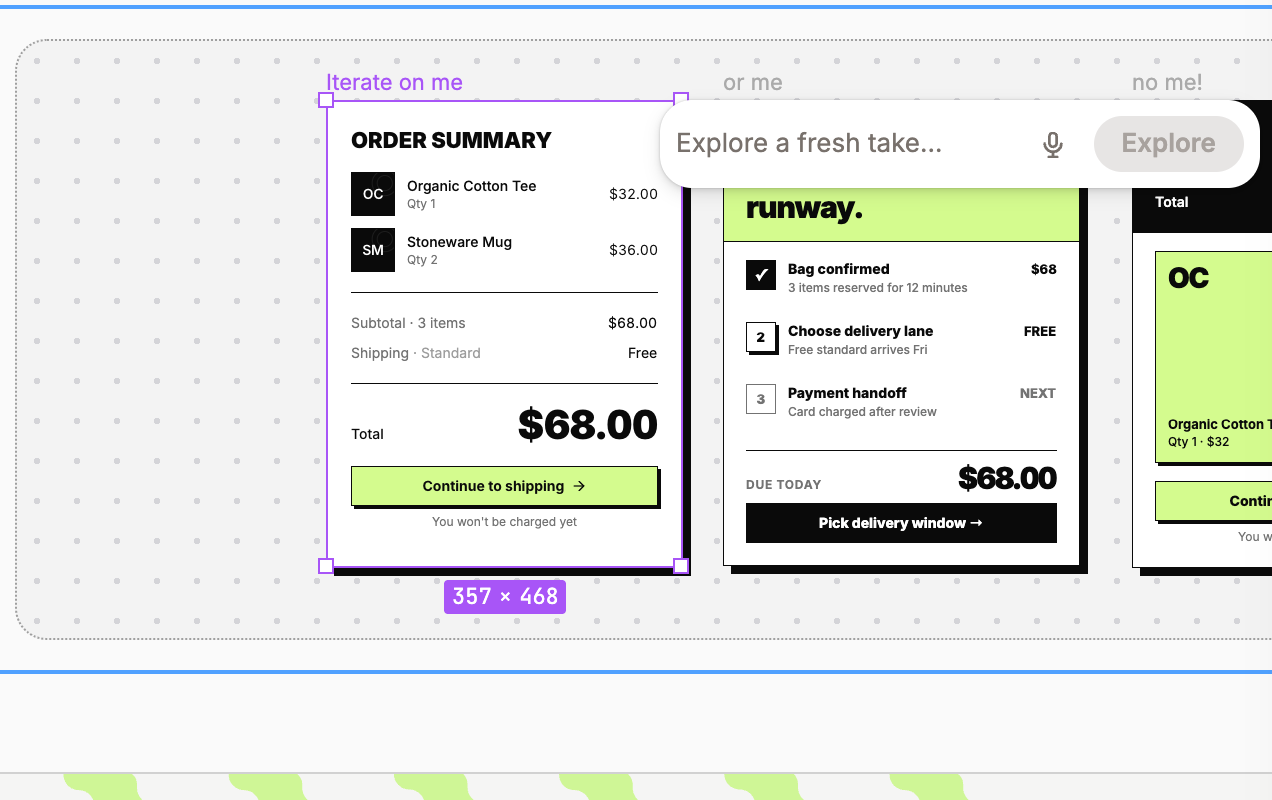
Select a frame and click its star. A card opens with the field Explore a fresh take…. The canvas agent reads the frame, your design tokens, and your design guidelines, and answers with new frames next to the original. Your codebase does not change. To build one, use the card's Add Frame to Build Chat or Choose where to build.
Open Build Mode from a Portal (Open Build Mode in the design panel) or send a frame with Add to Build Chat. The coding agent edits the files of your codebase, the page on the stage reloads, and the header counts the changed lines. See What is Build Mode.
What each one can touch
The canvas agent adds, moves, restyles, and renames layers and frames, and places component instances. It cannot read or write code.
The coding agent reads and edits files, runs commands in the dev environment Modeinspect hosts for you, and reads the frames you attach. It does not move or restyle layers on the canvas.
Both save memories about your codebase, see What agents remember about your codebase.
Around the message field
Send while the agent works and the message waits as a chip above the field. Click its × to take it back.
The square button (Stop) ends the turn without undoing anything. The field then reads Send to resume, or type to go first.
In a card on the canvas, Clear empties the conversation after the dialog Clear chat history?. Code changes stay.
The microphone (Dictate a prompt,
⌘ J) turns speech into the message.A percentage appears once a long conversation has used half its room. It compacts itself when full, or click the pill to compact now.
On a free plan the card shows how many messages are left this month, with Upgrade next to it.
The message that works names one element and one change: "the Continue to shipping button, make it full width". One task per message.