
Design tokens are the colors, type sizes, spacing, radii and shadows your codebase defines. Modeinspect reads them when it sets up the codebase. A fill or a padding on the canvas can then point at a token instead of holding a loose value, and the agent builds with the same names.
Where the tokens come from
Setup parses the codebase's Tailwind theme into a token document, and every canvas of that codebase gets its own copy. The codebase page names what setup found next to Design System.
Where they show
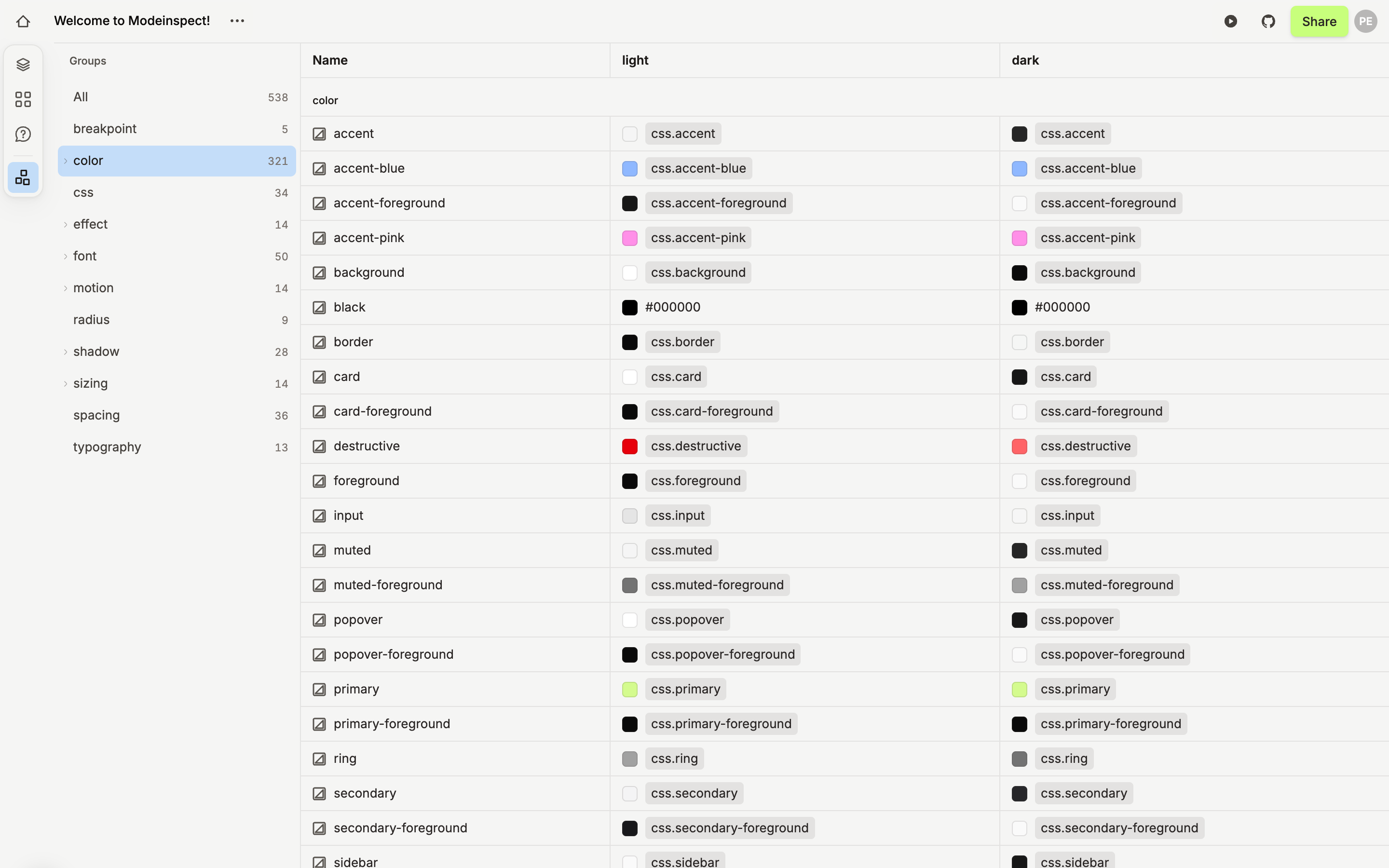
The Design Tokens button at the bottom of the left rail opens a full-screen view over the canvas. Groups lists the groups with their counts. The demo codebase has breakpoint, color, css, effect, font, motion, radius, shadow, sizing, spacing and typography. Click a group to list its tokens.
In the design panel, click the swatch of a color field and open the Design Tokens tab, or the small arrow next to a size or spacing value. Pick a token, and the field shows its name on a pill instead of a value. Detach token in the same list goes back to a plain value.
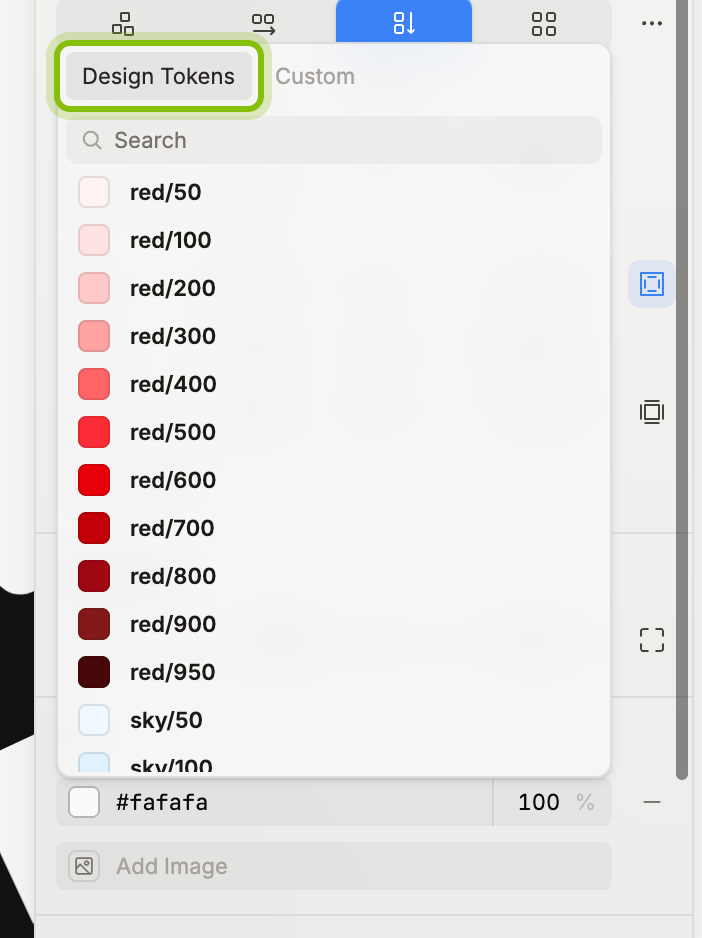
A token keeps its name, so Sync tokens can refresh it. When the agent builds, it writes the token's class or variable instead of a raw color or pixel value.
Sync tokens
Sync tokens is in the canvas menu, under the … next to the canvas name. It shows on every canvas with a token document. On a new canvas it appears once the codebase has started for the first time and you reload the page.
A blue dot means the codebase's tokens were read again since this canvas loaded. Click it: the canvas takes the newer document and rewrites every value that drifted from its token. The toast says Tokens are in sync or how many layers it touched. Nothing is written to the codebase.
What it does not do
It does not edit tokens. Change them in the codebase.
A codebase without tokens shows No design tokens yet. Its canvases work with plain values only.